Exam Builder · For Cambridge teachers

You’ve taught it.
Let’s make
the test.

Pick the topics your class has covered. Builder brings questions from your Cambridge IGCSE or A Level past papers into one topic test, with the matching mark scheme.

Open Exam Builder Free. No account.
Your papers stay yours.
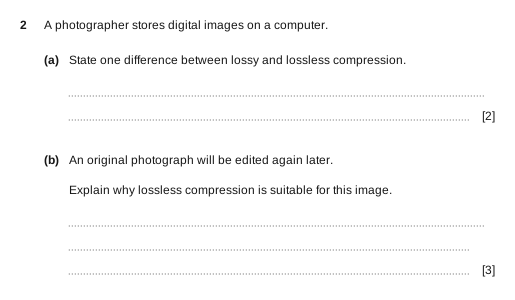
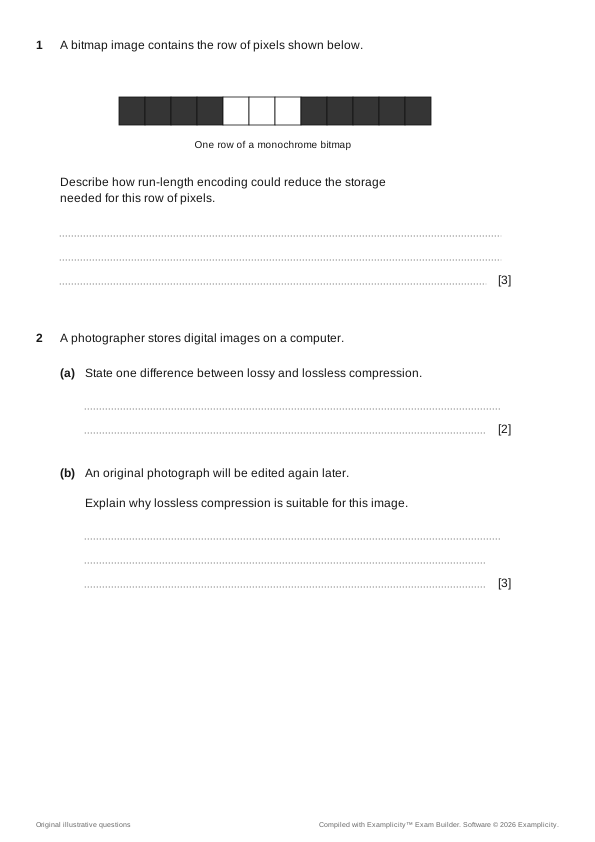
Original sample topic test with two Compression questions and eight marks.
One less job
for tonight.
Less hunting through PDFs. Here’s how.

01 / Your past papers, one question bank

The right question.
Somewhere in this folder.

Read your PDFs once. Builder separates the questions and parts, recognises their topics, and stores the bank in your chosen folder. Ready for the next test.
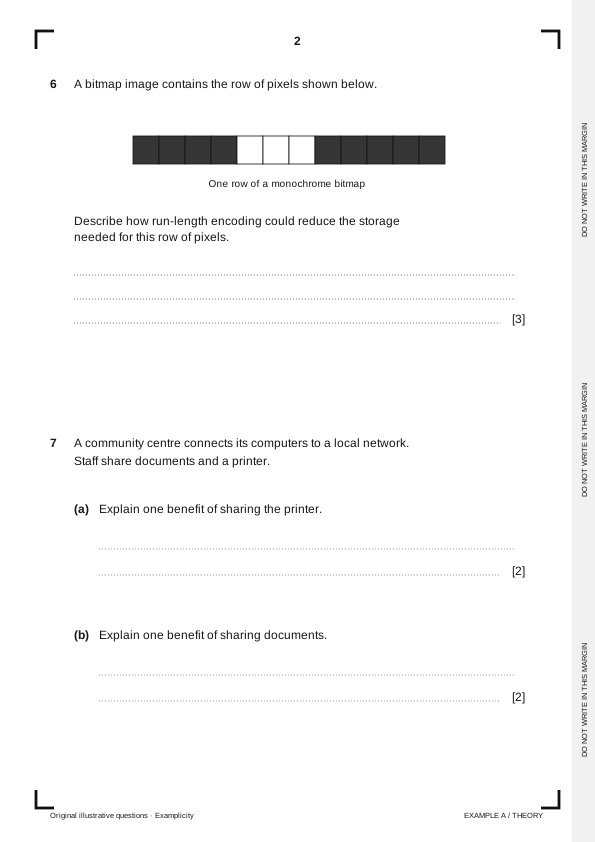
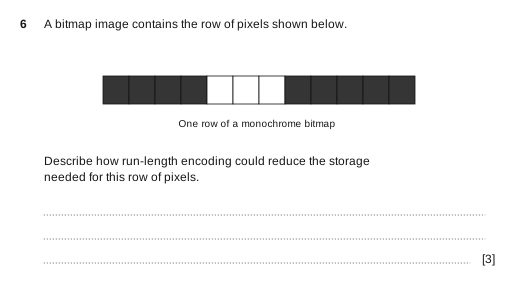
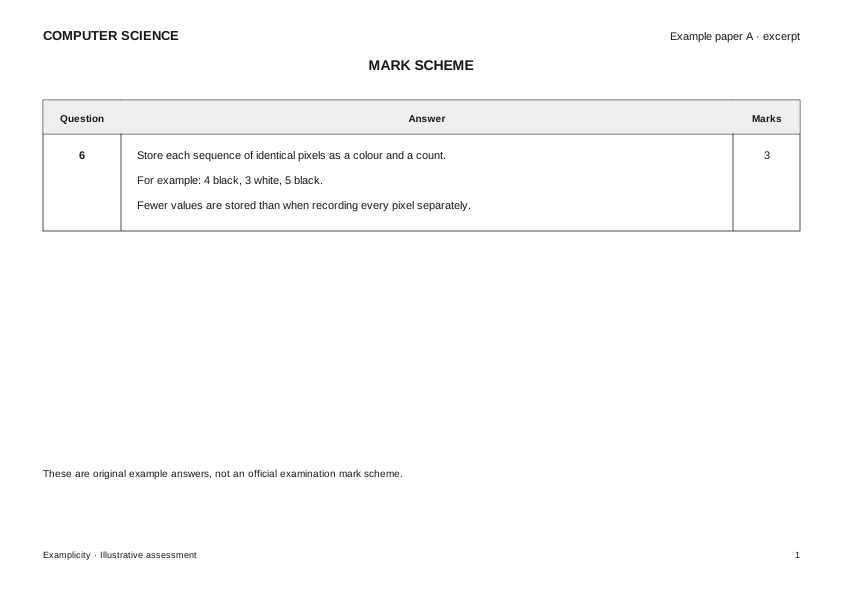
Original sample paper: question 6 contains a bitmap diagram and three marks of answer space.
Your questions and parts, organised by topic and stored in the folder you choose.

02 / Your topic test

This class. This topic.
This many marks.

You’ve just taught Compression. Choose that topic and an eight-mark target. Builder brings together suitable questions from across your papers.

Three-mark question on run-length encoding, selected from example paper A.Five-mark question on compression, selected from example paper B.
Compression · 2 questions · 3 + 5 = 8 marks

03 / Your test and mark scheme

And yes,
the answers come too.

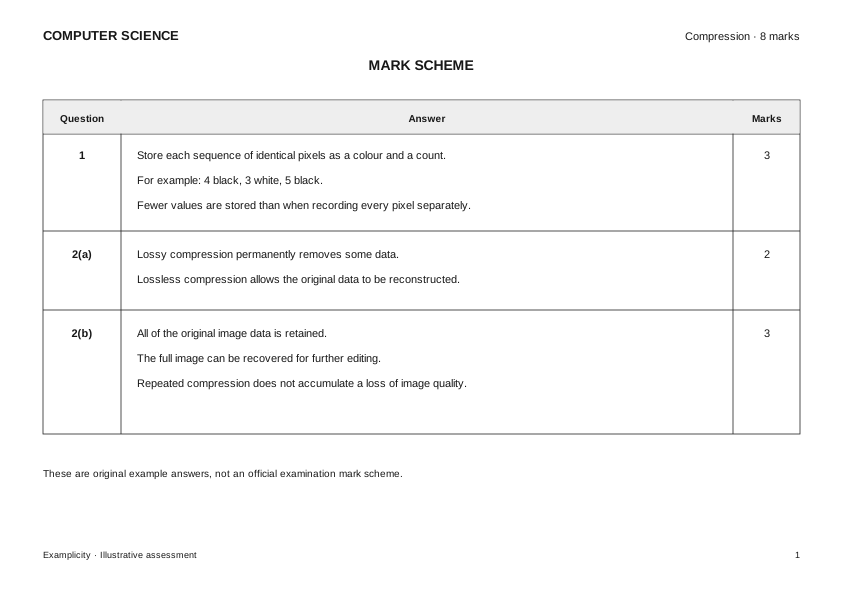
Check the selection, make your edits, and download the paper and mark scheme together. The questions, parts and answers follow the same numbering.

Finished eight-mark topic test, with the selected questions renumbered one and two.Matching scheme for questions 1, 2(a) and 2(b), totalling eight marks.
Save the paper in your folder. Reopen it and adapt it for the next class.

Illustrated with original sample questions. Builder uses the content of your PDFs.

Check the questions, topics and matched answers before using your paper.

They haven’t covered part (d). Yet.

A question can cover more than you’ve taught. Keep the whole question, the lead-in, or just the parts you need.

  1. All

    11 marks

    Keep all four parts when any part matches.

  2. Prune

    9 marks

    Keep the lead-in through the last matching part: a, b and c.

  3. Skip

    7 marks

    Keep matching parts a and c, plus any shared instructions they need.

Compression your topicData sizeNumber representation

4A student is sending a folder of photographs to a classmate.

Compression

(a)Explain how lossy compression could reduce the file size of each photograph.

[3]

(a) Compression · 3 marks left out

Data size

(b)One photograph is 3072 KiB. Calculate its size in MiB.

[2]

(b) Data size · 2 marks left out

Compression

(c)The classmate will edit and print the photographs. Explain why lossless compression may be more suitable.

[4]

(c) Compression · 4 marks left out

Number representation

(d)The image width is stored as the hexadecimal value 1F4. Convert it to denary.

[2]

(d) Number representation · 2 marks left out

Total11 marks

An original sample question. Blue parts match the chosen topic, Compression. Check that the remaining parts make sense together.

“There was a question about run-length…”

Search for a word you remember. Pin the parts you want, then let Builder fill the remaining marks. Combine keywords with or and and, or narrow the search by paper and year.

Example paper A · Question 63 marks

The original three-mark question about run-length encoding.

Pinned

That one.
Keep it in the paper.

Next term,
start from here.

Your saved papers stay in your folder. Reopen one, change the selection for another class, or adjust a few parts. Add a title page and export the PDFs when you’re ready.

For the subjects you teach.

For Cambridge IGCSE, AS & A Level and Lower Secondary Checkpoint. Your subject below links to its official past-paper source.

19 Cambridge syllabuses currently offered.

Each link opens the official Cambridge past-paper page in a new tab.

Support varies by paper and year. Check the subject details in Question bank for the available evidence. Exam Builder uses the papers you provide; it does not include a library of exam papers.

Your papers.
On your computer.

Exam papers are processed in your browser. Your PDFs, question bank and saved assessments stay in the folder you choose.

The app uses Vercel analytics and performance measurement. Its analytics do not send your papers or folder contents.

What do I need to get started?

Desktop Chrome or Edge, a folder on your computer, and your question-paper and matching mark-scheme PDFs. Keep their original file names so Builder can recognise and pair them. Then choose your folder and follow the setup steps.

Does Builder provide the past papers?

No. You bring the PDFs. The subject links above lead to official Cambridge resources. If your school has access, you can also use the Cambridge School Support Hub.

Does it write new questions with AI?

No. It uses the questions already in your PDFs. Automatic topic recognition helps you find them. Builder preserves the original wording and diagrams; it does not write replacement questions.

Do I need an account or a subscription?

No. Builder is free. You don’t need an account or a subscription.

Do I need an internet connection?

Yes. You need a connection to open Builder and download or update its subject support. Your papers are processed on your device. Offline installation is not currently available.

Will every question and answer be read perfectly?

No. Questions can be read incorrectly, assigned the wrong topic or matched to the wrong answer. Review the checks in Question bank, then read through both PDFs before using them with your class.

You’ve got a class to teach.
Let’s get the paper ready.

Open Exam Builder

Free to use. No account.
Desktop Chrome or Edge.